
What a WMS does
A warehouse management system coordinates the physical work of receiving, locating, picking, packing and dispatching stock. Inventory records describe what you have; warehouse workflows help the team move it accurately.
The useful question is not which product has the longest feature list. It is which system should own the work your operation needs to run. A product brand shipping its own stock, a multi-client logistics provider and an export cold store may all ask for a WMS while needing very different things.
Separate five possible starting points: a specialist WMS, an inventory-led platform, a system built for 3PLs, a warehouse module inside an existing ERP, or a modular operations platform. Define the responsibilities before building the vendor shortlist. A system that is strong in one category can still leave an important gap in another.
Write down your current process before watching a demonstration. Include the places where a person re-keys a record, asks another team for an update or makes a stock decision outside the system. These handoffs help explain whether the first need is better inventory records, warehouse execution or coordination across the wider operation.
For New Zealand operators, the local questions include accounting connections, carrier accounts, implementation support and data requirements. The specific services and deployment matter more than a logo or a statement that a product serves the region. Ask the same questions of OpsUI and every other vendor.
Five types of system, five starting points.
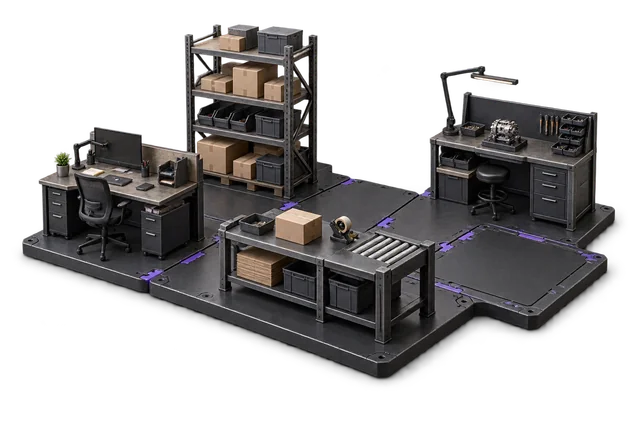
Begin with the responsibility you need the system to own. Products overlap, so a category is a starting point for investigation rather than a guarantee of functionality.
Specialist warehouse systems
Warehouse execution is the centre of the product: receiving, locations, replenishment, picking and dispatch.
- Best suited to
- An operation with deep floor requirements, specialist handling or a complex distribution centre.
- Ask during evaluation
- Can the system demonstrate our hardest warehouse exception, and what lies outside its scope?
Inventory-led platforms
Stock, purchasing and sales-channel records are the core, with warehouse capabilities varying by product and plan.
- Best suited to
- A product business whose first problem is inventory and channel coordination.
- Ask during evaluation
- Which bin, scanning and picking workflows are included in the exact plan we are evaluating?
Systems built for 3PLs
Warehouse execution sits alongside the needs of businesses storing and shipping other companies’ goods.
- Best suited to
- A logistics operation that needs client separation, billing rules and customer visibility.
- Ask during evaluation
- Can it demonstrate our storage, handling and freight rate cards, including exceptions and invoice reconciliation?
Warehouse modules within an ERP
Warehouse functionality extends an existing ERP and shares its accounting and master-data environment.
- Best suited to
- A team already committed to an ERP whose warehouse module meets the operational requirements.
- Ask during evaluation
- What is included in our ERP licence, what is additional, and which implementation responsibilities belong to our partner?
Modular operations platforms
Warehouse work connects with orders, inventory and other operational modules, selected around the work required.
- Best suited to
- A business that needs more than stock control and wants to introduce operational capabilities in stages.
- Ask during evaluation
- Which modules are required end to end, and what are the current integration and fit limitations?
Follow a receipt all the way to dispatch.
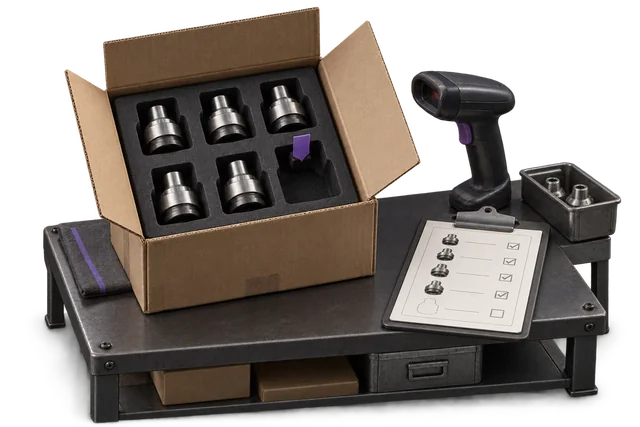

- 01Receive
- 02Put away
- 03Pick
- 04Pack
- 05Dispatch
For each handoff, identify the person responsible, the information they need and the exception they must resolve. A demonstration should show both the normal path and the work that happens when something goes wrong.
Putaway means moving received stock into a usable storage location. Allocation reserves stock for demand. A short pick means the picker cannot fulfil the expected quantity. Agree these terms with your team so every vendor demonstrates the same process.
Explore the operations glossary →What to check in New Zealand
A New Zealand shortlist should reflect the operation, rather than a global ranking. An exporter, a domestic wholesaler and an ecommerce business will place different weight on certification, carrier handoffs and channel records. Establish the required workflows first, then investigate specialist, inventory-led, logistics-focused and ERP-based options alongside a modular platform.
Ask which carrier accounts, services and label formats are supported; how your accounting records move; and where production data, backups and logs are held. Record the answers for the exact deployment under consideration.
Accounting and record ownership
Keep Xero, MYOB or an existing ERP in the evaluation. Specify whether it owns customers, tax codes, invoices, payments and stock valuation; then define what the warehouse system may create or update.
Check the direction and timing of each flow. A two-way connector may support only some record types. Demonstrate cancellations, partial fulfilment, credits and reconciliation, not just the first successful order.
Earlier editorial context; current vendor-specific detail requires confirmation.
Carrier accounts and dispatch
List NZ Couriers, NZ Post and your freight providers. Include service levels, account permissions, parcel formats, printers and manifest cut-offs. Ask whether the connection is direct, through an aggregator or based on a file handoff.
Do not infer rate access, label support or tracking events from a carrier name on a website. Confirm each service against the account you already use, along with transaction fees and the fallback when a carrier rejects a shipment.
Earlier editorial context; current vendor-specific detail requires confirmation.
Data location and access
Ask separately about the location of production records, backups and logs. Include subprocessors, support access, retention and export requirements in the review. Website domains and billing currencies do not establish where application data is held.
If location or assurance is a Procurement requirement, request evidence that applies to the proposed deployment. Record what was confirmed, by whom and when. Review the same requirements with connected systems.
Earlier editorial context; current vendor-specific detail requires confirmation.
Export and controlled-stock requirements
Export operations may need MPI E-cert/E-Doc workflows alongside lot, expiry and movement records. Treat export certification as a distinct requirement. OpsUI does not provide MPI E-cert/E-Doc certification functionality.
A general inventory module is not evidence of a validated specialist workflow. Ask for representative receiving, quarantine, rotation and recall scenarios. Software does not certify your facility or remove your operating responsibilities.
Earlier editorial context; current vendor-specific detail requires confirmation.
Devices and the work environment
Check the devices the team will actually use. Demonstrate scan input, label printing, screen readability and recovery from lost connectivity at the place the work happens. Confirm any dedicated equipment before adding it to the budget.
Evaluate a normal working shift, not only an office demonstration. Consider gloves, damaged labels, charging, shared devices and sign-in. Offline operation should be explicitly demonstrated if it is a requirement.
Earlier editorial context; current vendor-specific detail requires confirmation.
People, training and rollout
Identify the first workflow to introduce, the people responsible and the records that need cleaning. Agree an acceptance scenario for each handoff and the process for resolving issues before moving the next team onto the system.
Ask who configures the product, tests integrations, trains operators and supports cutover. Timeline depends on scope, data and team readiness; a subscription price does not establish a delivery date or a complete implementation service.
Earlier editorial context; current vendor-specific detail requires confirmation.
Compare the full operating cost.
Separate subscription cost from user allowances, integrations, devices, data preparation and onboarding. Ask who owns configuration, training, cutover and support, and which items are recurring.
A starting subscription price is not an implementation quote. Compare the same workflows, team size and transaction volumes across proposals. Keep the original currency, tax treatment and billing period visible.
OpsUI’s published package structure
Essential
NZ$499per month
2 users included
2 operational modules
Control
NZ$1,499per month
5 users included
5 operational modules
Command
NZ$2,999per month
15 users included
11 operational modules
Apex
NZ$11,990per month
Unlimited users
20 operational modules
Published monthly subscriptions in NZD. Existing annual pricing and package allowances apply. Additional seats are NZ$99 per month beyond the applicable allowance; integration connectors are separate add-ons.
Review the full packages and configure pricing →A checklist you can use in a demonstration.
Bring representative records and ask each vendor to work through the same scenarios. Write down what was demonstrated, what needs configuration and what remains unverified.
- Receive a discrepancy. Use an expected delivery with a missing line and damaged stock. Follow the difference through recording, review and the stock decision.
- Allocate constrained stock. Use two orders competing for the same stock. Check reservations, priorities and what the service team sees.
- Resolve a short pick. Start with an empty pick location. Show the exception, reassignment or backorder, and who can approve the next step.
- Complete the dispatch handoff. Use your carrier, parcel mix and label format. Check tracking references, manifests and a rejected address.
- Recover from an interrupted sync. Reject a record or interrupt delivery. Show visibility, retry behaviour, duplicate prevention and reconciliation.
- Confirm access and reporting. Run the same scenario as an operator and supervisor. Check action permissions and the records available for investigation.
Where OpsUI fits — and where to look further.
When a specialist or existing system may fit better
A 3PL whose revenue depends on storage, handling and freight charges should begin with client billing. Demonstrate rate cards, invoice adjustments, customer visibility and reconciliation across several clients. A warehouse workflow without the required billing engine may create another manual process.
An automated distribution centre may need orchestration of conveyors, sortation, voice picking or warehouse control systems. Define those interfaces and failure scenarios first. Do not assume that an ordinary picking module can control automation equipment or manage enterprise labour requirements.
If an established ERP already owns the financial and operational data, investigate its warehouse module. Keeping one master-data environment may simplify ownership, but compare the actual warehouse fit, additional licences and implementation responsibilities.
If the main problem is purchasing, stock visibility and sales-channel coordination, an inventory-led system may be sufficient. Adding a WMS should solve a floor problem that the team can describe, rather than add process without a clear operational benefit.
For full MRP, finite-capacity scheduling, complex consolidation or regulated export certification, give the specialist requirement its own evaluation. An adjacent module name is not enough to establish a fit.
When to include OpsUI in the evaluation
Consider OpsUI when orders, receiving, stock, picking and dispatch need to share a clearer operational view. Its catalogue lets you examine those responsibilities by module, rather than treating the product name as a complete specification.
Use the warehouse starting point to identify receiving, inventory, shipping, counting and picking requirements. Then check each module’s delivery status and confirm the handoffs with representative records. Starter packs and individual modules have different scope and user allowances.
If your existing finance system works for the accounting team, evaluate keeping it and connecting the relevant records. NetSuite is listed as a live integration in the catalogue; Xero, MYOB, Abel and SAP connections are scoped during rollout. Agree the objects, direction and responsibilities before relying on the connection.
The carrier distinction also matters. NZ Couriers is listed as live, while other carrier connections are scoped against accounts and workflows. Bring the dispatch requirements to the review rather than assuming that a familiar logo means a ready-to-use connector.
Use the self-service product demo to inspect the interface, then put an actual operating scenario through a workflow review. Seeded demo data shows a product example, not a customer result or evidence that your specific requirements are supported.

A sample-data view of receiving stages, exceptions and putaway work. Use your own scenario to evaluate the fit.
Questions buyers ask.
What is the best WMS in New Zealand?
There is no single best system for every operation. Match the category to the work: inventory and channels, warehouse execution, 3PL billing, a warehouse module within an ERP, or a broader modular operation. Use the same demonstration checklist and confirm material gaps before comparing price.
Does the WMS need to be hosted in New Zealand?
Data location is a deployment question. Confirm production records, backups, logs, support access and relevant subprocessors separately. If residency is a Procurement requirement, obtain applicable evidence from each vendor before committing.
Which WMS integrate with NZ Post and NZ Couriers?
The OpsUI catalogue lists NZ Couriers as live. Other carrier connections are scoped per account. Confirm service coverage, labels, manifests, tracking and the connection method against your actual carrier accounts.
Can I start with just warehouse and add the rest later?
You can evaluate individual OpsUI modules or a starter pack, then add the workflows you need. Essential contains orders and inventory; warehouse receiving, dispatch and advanced picking require the appropriate additional modules or package. Check the current catalogue and user allowances.
Sources and evidence
Checked facts apply only to the scope described next to each source. Other vendor details in the editorial analysis remain unverified for a current purchase decision. Confirm them with the vendor and record the applicable plan, version and proposal date.
- Cin7 official pricing and plan allowancesChecked 2026-09-09 · Core Standard starts at US$349/month excluding taxes; user, order and integration allowances vary by plan.
- Unleashed official pricingChecked 2026-09-09 · Core and Pro subscriptions have included user, sales-order, integration and API allowances; additional allowances and services can cost extra.
Further reading: What is a WMS? Neutral explainer
OpsUI integration delivery and scope · Security review information · Published OpsUI packages
Continue your evaluation.
- Interlogic MultiPick alternatives in NZ: the realistic shortlist for warehouse buyers
- OpsUI vs Logiwa
- WMS for 3PL in New Zealand
- CartonCloud alternatives: an honest guide for ANZ warehouse and 3PL operators
- WMS for Xero users: keep the ledger, fix the floor
- WMS for MYOB users: keep the ledger, run the warehouse